
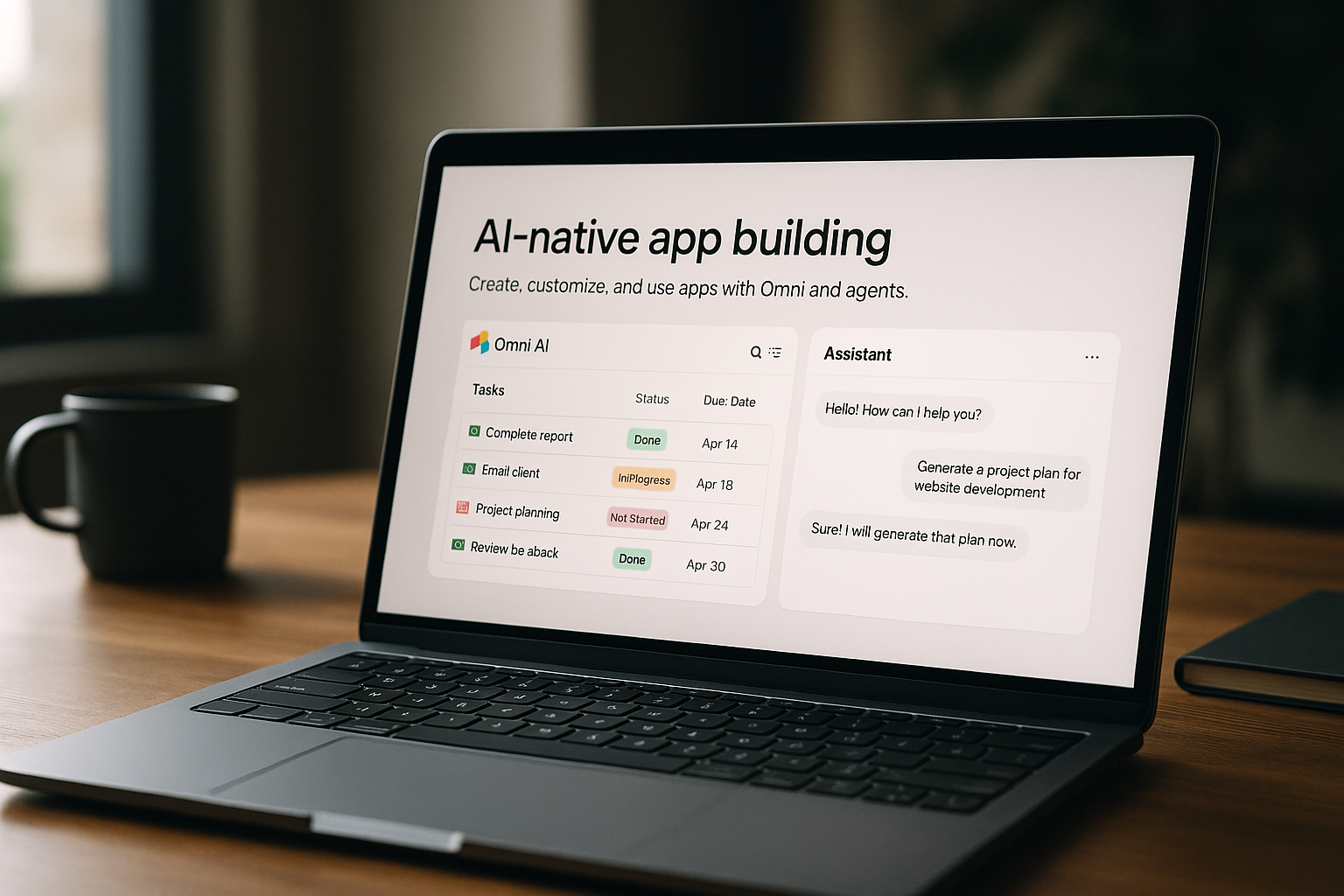
Airtable AI review: AI-native app building for teams and enterprises
Most growing teams sit on a lot of data but struggle to turn it into real, functioning workflows and tools. Spreadsheets get messy, custom software is expensive, and separate AI tools don’t connect well to day-to-day operations.
This Airtable AI review looks at how Airtable’s AI-native platform tackles that gap. Airtable AI is an AI-native platform that lets teams build apps and automate workflows on top of Airtable data using conversational AI, agents, and no-code components. It aims at enterprise and team users who want scalable, AI-assisted data apps without heavy custom development. This ToolScopeAI review focuses on what it’s like to use in practice, not hype.
What Airtable AI is and how it works
Airtable AI is an AI-native platform that lets teams build apps and automate workflows on top of Airtable data using conversational AI, agents, and no-code components. In plain terms, it helps you turn structured data into working mini-apps, dashboards, and automated processes, without traditional coding.
The platform combines your data (stored in Airtable), no-code building blocks, and AI features like conversational interfaces and AI agents. Those agents can orchestrate actions across workflows, reducing manual effort and coordination work. For teams overwhelmed by scattered spreadsheets and tools, Airtable AI provides a central place to manage both the data and the workflows that depend on it.
Who Airtable AI is for
Airtable AI is ideal for product, operations, and analytics teams in mid to large organizations who want to translate data into production-ready workflows and apps with AI-assisted automation, without writing traditional software.
If you recognize yourself in any of these profiles, it’s likely a fit:
- Product teams: Need a structured way to manage roadmaps, backlogs, and experiments, and want AI to help coordinate tasks and surface insights from product data.
- Operations teams: Run complex, repeatable processes and want to automate steps and handoffs across systems without building a custom internal tool from scratch.
- Analytics teams: Sit on top of data scattered across systems and want to analyze, summarize, and act on that data directly where it lives.
Very small or informal teams that mainly need simple note-taking or basic documents may find Airtable AI more powerful than they strictly need. It’s better suited when you have real operational workflows and multiple stakeholders to coordinate.
Core use cases
- Turn scattered data into production apps: For teams who want to transform scattered data into production-grade apps and workflows using built-in AI capabilities. You can use Airtable’s no-code components and Omni-style experiences to build reliable, reusable tools instead of one-off spreadsheets.
- Automate repetitive work with AI agents: For managers who want to automate repetitive tasks and orchestrate actions across multiple systems with AI agents. Airtable AI agents can coordinate steps in a workflow, reducing status-check pings, manual updates, and follow-ups.
- AI-powered analysis inside your data layer: For analysts who want to run AI-powered data analysis and generate insights directly within Airtable. Instead of exporting data into separate tools, you can keep analysis and reporting close to the operational data itself.
- No-code, AI-driven operations dashboards: For operations teams who want to build AI-driven processes and dashboards using a no-code platform. This is particularly useful when you need to monitor key metrics, trigger automations, and surface AI-written summaries in one place using the broader Airtable platform AI approach.
Across these use cases, the combination of Airtable AI agents and no-code components matters more than any one feature. While details like Airtable AI pricing or Airtable pricing credits are not fully disclosed here, the operational value comes from consolidating data, apps, and automations into one environment.
Strengths and advantages
- All-in-one AI-native platform: Airtable AI is an AI-native platform designed to integrate data, automations, and interfaces in one place. This reduces the need to juggle separate spreadsheet tools, automation services, and UI builders.
- AI agents for orchestration: It supports AI agents that orchestrate actions across workflows without heavy coding. That means less manual coordination and more end-to-end automation of processes that used to live in email and chat threads.
- Enterprise-grade integrations and security: Airtable AI integrates with leading AI providers and offers enterprise-grade security and compliance. This is important for larger organizations that need governance around how AI is used with their data.
- No-code components and Omni for fast app building: No-code components and Omni help teams build production-ready apps quickly. Instead of waiting on engineering resources, business teams can design interfaces and flows themselves on top of Airtable data.
Limitations and trade-offs
- Evolving pricing and credits model: The pricing and AI credits structure has evolved, and exact credit availability can vary by plan and time. Precise current figures for Airtable pricing credits are unknown based on the provided information, so you may need to validate details before committing heavily to AI-heavy workflows.
- Learning curve for advanced AI features: There is a learning curve for new users to maximize AI features and agent capabilities within Airtable’s framework. Teams may need time to design effective workflows and prompts that take full advantage of Airtable AI agents.
- Enterprise details may require sales contact: Some enterprise specifics, like exact credit packs or per-seat changes, are not clearly documented here and may require direct contact with Airtable’s sales team for up-to-date figures. This can add friction for organizations that prefer fully self-serve pricing.
Competitors and alternatives
When considering Airtable AI vs Notion, Coda, Smartsheet, or Aha!, it helps to understand each player’s general focus.
- Airtable AI vs Notion / Notion AI: Notion is generally known as a workspace and documentation tool that also has AI features. By contrast, Airtable AI is positioned around structured data, apps, and workflows, which may better fit teams building production-style processes rather than documents.
- Airtable AI vs Coda: Coda combines documents and spreadsheets with building-block-like functionality and AI features. Airtable AI, according to the available data, emphasizes an AI-native platform for building apps and automations on top of Airtable data, which may feel more like a data-first approach.
- Airtable AI vs Smartsheet: Smartsheet is typically associated with work management and spreadsheet-like project tracking. Airtable AI differentiates itself through its AI agents, Omni-style experiences, and focus on building production-ready apps on the Airtable platform AI stack.
- Airtable AI vs Aha!: Aha! is noted here specifically as a product roadmapping tool with AI features. Compared to that more specialized focus, Airtable AI appears more general-purpose across product, operations, and analytics workflows, not just roadmapping.
If you are actively comparing Airtable pricing alternatives, the core decision is whether you need a data-centric app platform with AI-native workflows, or a lighter-weight notes/work management tool with some AI bolted on.
Pricing and accessibility
Concrete Airtable AI pricing details and exact AI credits are not disclosed in the provided information. We know that the pricing and AI credits structure has evolved, and that credit availability can vary by plan and over time.
Because the current, precise model is unknown based on available, verifiable sources here, you should check the official Airtable website or contact their sales team for the latest information on Airtable pricing, AI credits, and any enterprise-specific options.
How Airtable AI fits into a real workflow
For SMB and mid-market teams, Airtable AI can slot into daily operations as the central hub where data, apps, and AI meet.
- Product team coordination: A product team could manage feature ideas, specs, and feedback in Airtable, then use AI agents to summarize input, propose priorities, and coordinate handoffs with design and engineering, all within a no-code app interface.
- Operations process automation: An operations manager might track orders, vendors, or projects in Airtable, then rely on AI agents to trigger follow-up tasks, send updates, or flag anomalies, turning a static tracker into an active workflow engine.
- Analytics-powered reporting: An analytics team could centralize key metrics in Airtable and use AI to generate narrative summaries, scenario analysis, or quick insights directly in the same environment, instead of exporting to separate tools.
- Cross-functional dashboards: Leadership teams might use Airtable to build dashboards that pull in data from multiple functions and then apply AI to provide high-level overviews, highlight risks, and surface opportunities on a regular cadence.
- Internal tools without traditional dev: Any department that would normally request a custom internal app (for approvals, content workflows, or partner management) could instead prototype and run that tool with Airtable’s no-code components and Omni, backed by AI agents to handle routine actions.
Implementation tips for teams
Rolling out Airtable AI effectively is less about flipping a switch and more about choosing the right first projects.
- Start with a single, painful workflow: Pick one process that is clearly defined but currently manual (e.g., weekly reporting, request intake, or status tracking). Use Airtable AI to rebuild just that workflow end to end.
- Keep scope small for the pilot: Limit the first implementation to a subset of users or a single team. This makes it easier to refine how AI agents behave and how data is structured before you scale.
- Set expectations and guardrails: Make sure users know what the AI agents will and won’t do in the workflow, and where human review is still required. This helps avoid over-reliance on automation while you learn the tool’s behavior.
- Measure outcomes, not features: Evaluate your pilot based on time saved, errors reduced, or clarity gained in your process, rather than on how many AI features you’ve turned on.
- Iterate your data model: As you use Airtable AI more, refine your tables, fields, and interfaces so agents and Omni-powered experiences can work more reliably and provide better results.
Verdict: is Airtable AI right for you?
Airtable AI shines for product, operations, and analytics teams in mid to large organizations that want to turn data into real, production-ready workflows without building full custom software. Its AI-native platform design, integration of data, automations, and interfaces, plus AI agents and Omni-style no-code components, make it a strong choice when you need structured, scalable internal tools.
The main trade-offs are an evolving pricing and AI credits model, some learning curve around designing effective AI-powered workflows, and the need to confirm enterprise details directly with Airtable. If you fit this profile and the trade-offs make sense, Airtable AI is worth testing with a small pilot before a wider rollout.
